I have been animating for 6 years. Games, motion graphics and now interactive UI products.
Initially I thought motion is for just making things look cool. Smooth fades. Satisfying bounces. Transitions that felt good to watch. I thought that was the job. Make it look polished, hand it off, done.
It took me a while to realize I was thinking about it completely wrong.
Motion is not about looking good. It is about communication. Every movement in an interface has a job to do. It guides attention. It explains what just happened. It tells the user what to do next. When it is done well, users do not even notice it. They just feel like the product makes sense.
That shift in thinking changed how I work. And it is the thing I wish someone had told me earlier.
1. I Skipped the Basics. Here is What Happened.
When I was starting out, I wanted to jump straight into tools. After Effects, Maya, Blender — whatever was popular. Learning the tool felt like progress. It felt productive.
But I kept running into the same problem. My animations looked decent but something always felt slightly off. Like I was mimicking good motion without actually understanding it.
The answer was in the principles I had skipped.
The classic animation principles still apply to UI today. They apply to a mobile app the same way they apply to a cartoon.
- Squash and Stretch adds a sense of weight. A button that slightly compresses when clicked feels more real than one that just changes color.
- Anticipation prepares the user. A small movement before the main action makes it easier to follow and harder to miss.
- Staging helps with focus. If everything moves at the same time, nothing stands out. Good staging means the right thing moves at the right moment.
- Easing is what separates smooth motion from robotic motion. Real objects do not start and stop at a constant speed. Neither should your UI.
Once I actually understood them, everything clicked. Not because I was using different tools. Because I understood why certain things felt right and others did not.
Raphael Salaja's interactive take on these principles is the best thing on this topic.
2. The Tool is Just the Medium
Over the years I have used a lot of tools. Here is how I actually think about them now.
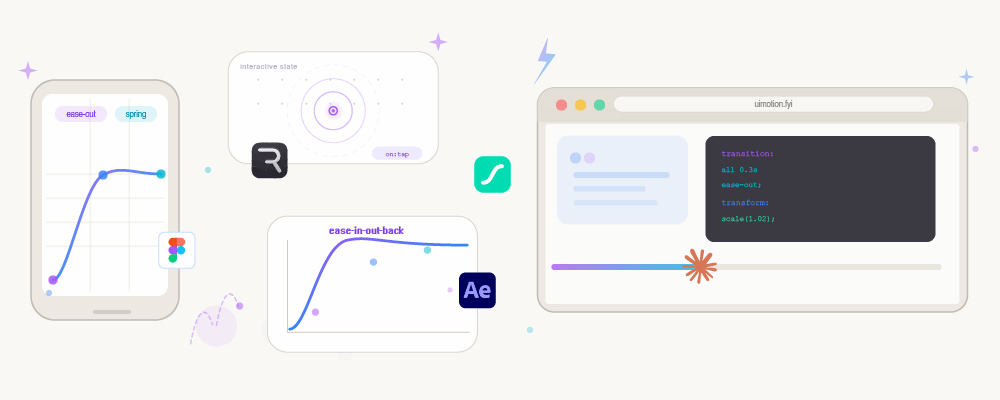
After Effects is where I go when something needs to feel cinematic. Product launches, marketing videos, motion concepts — anything where quality and detail matter. It does not ship directly into products but it is still the best place to explore and refine an idea before it gets built.
Jitter and Lottie handle most of the everyday UI motion work. Button states, loading animations, small interactions. Fast to build, lightweight to export, and they drop cleanly into products.
Figma is for communicating ideas quickly. Smart Animate is good enough to show how a transition should feel without spending too much time on it.
Rive is what I use when motion needs to respond to what the user is doing. It thinks in behavior and states rather than timelines. Really useful for interactive components.
Claude and Cursor are the ones that changed things most recently. I describe the interaction I have in my head — the timing, the feel, the behavior — and what comes back is not a prototype or a Lottie file. It is real code that lives in the product. The motion is no longer something I hand off and hope survives the process. I own it end to end now. That has been one of the biggest shifts in how I work.
Each tool has a ceiling. After Effects cannot do what Rive does. Rive cannot do what Claude can. Pick the one that fits the job. At the end of the day they are just tools. The thinking behind the motion is yours.
3. Motion Now Lives in the Product
When I started out, motion design had a clear workflow. You designed the animation, exported it, handed it to a developer, and hoped it looked the same in production. Usually it did not.
That workflow is changing.
Motion now lives inside the product itself. It reacts to user actions. It responds to real data. It adapts across different states. A loading animation is not just a looping file anymore. It can actually change based on what is happening.
AI is making this faster. The gap between designing something and shipping it is closing. Which means the role is shifting too. Less about creating individual animations. More about defining how a product behaves across every state and interaction.
I find this exciting. In my day to day work, this shift is already happening. I use After Effects to explore the idea, AI tools to generate the interaction code, and then refine it until it feels right in the actual product. What used to take a full back and forth between design and development now happens in one sitting. The process has compressed in a way that would have felt impossible a few years ago.
4. If I Were Starting Today
- Pick one tool and actually learn it. Do not bounce between tools trying to find the right one. There is no right one. There is just the one you know well enough to move fast in.
- Focus on timing and clarity before anything else. A simple, well-timed transition will always beat something complex and confusing. Complexity is not the goal. Helping the user is.
- Study real products. Not Dribbble shots. Actual shipped products. Screen record and slow down the animations. Notice what they do and when. Ask yourself why it feels right. That kind of observation is how you build instincts.
- And if you have been doing this for a while, start paying attention to how motion gets implemented, not just designed. You do not need to become a developer. But the closer you get to the real product, the better your work becomes.
5. The Thing That Has Not Changed
Tools changed. Trends changed. The workflow has changed. The role itself is changing.
But the question I ask before every animation is still the same.
"Does this motion help the user?"
If the answer is yes, everything else figures itself out. If the answer is no, no amount of polish will save it.
That is the part nobody really talks about. Motion is not a layer you add at the end. It is a design decision you make from the beginning.
I am still learning that. Every project reminds me of it.